The easy Canva alternative
Canva gives you an editor. Snappa gives you the graphic. Describe what you need and get a finished post, ad, or thumbnail in seconds.
- Free plan
- Cancel anytime
- Real human support
55,000+ customers served
30,000,000+ graphics made
4.6 on G2
Why people switch
Canva used to be the easy option.
It still does a lot, and that’s the problem. Here’s why so many Canva users are looking for an alternative.
It got bloated
Canva now does presentations, docs, sheets, websites, video, email, print, and code. The simple graphics tool is buried under all of it.
“The recent updates have made Canva feel clunky, unstable, and frustrating to use.”
Every graphic takes longer
Swap the photo, rewrite every text box, nudge it all into line, resize, export. Then do it again for the next platform.
“I use to be able to create a quick asset for social media marketing in just a few minutes but that time had easily tripled or more.”
Everything is an upgrade
Locked elements, watermarks, and Pro-only basics like the background remover.
“It’s sluggish, full of unnecessary ai, paywalled, everything it wasn’t before.”
The AI allowance runs out
Canva’s AI allowance is an estimate, and bigger requests use more of it. It can run out before the month does.
“I hardly use Canva AI but today i have run out of [credits]!”
What changes when you switch
Skip the editor. Keep the control.
You describe the graphic. Snappa makes it. Anything you want different, you change in plain words or with a brush.
Instead of AI edits that change things you didn’t ask for
Change one thing. Keep the rest.
Just say what to change, like “make the headline bigger” or “swap the background for a beach”. When something is hard to describe, brush over it first. The rest of your design stays put.


Instead of resizing and rearranging by hand
Every size, one click.
Turn any graphic into a Story, a feed post or a wide banner. Snappa recomposes it for the new shape instead of cropping, so your text and photo stay intact.
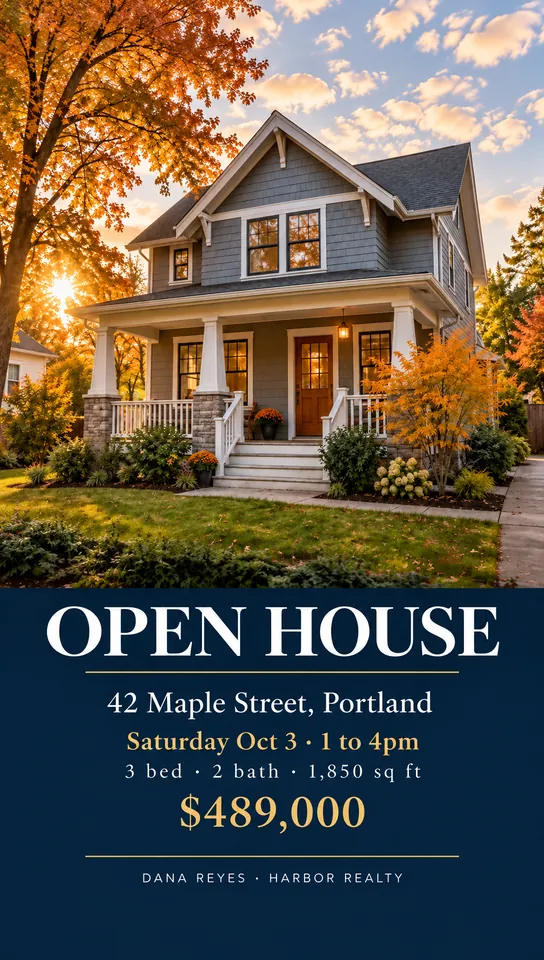
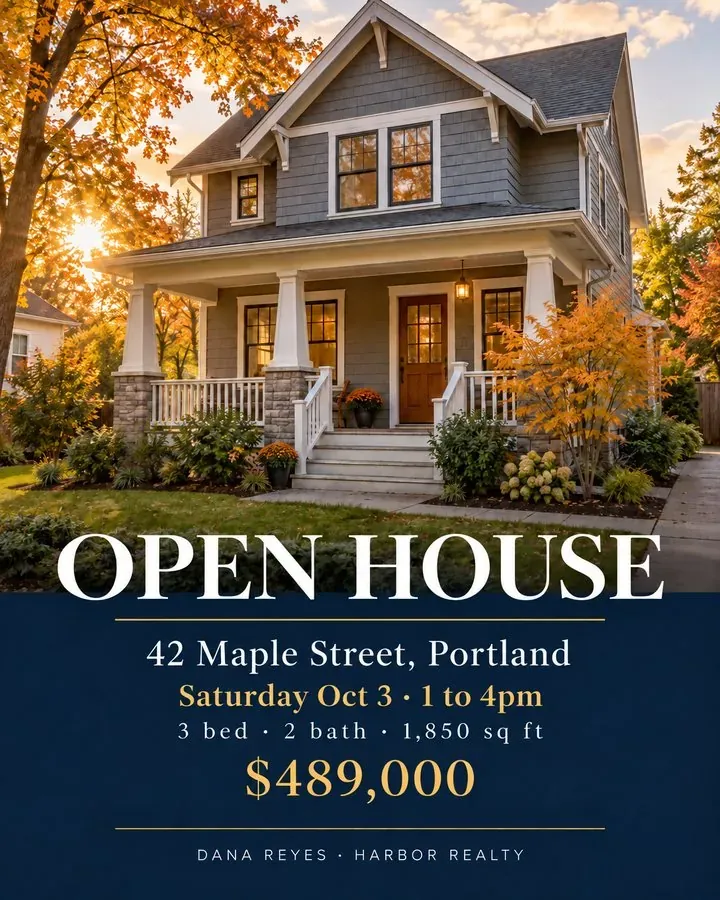
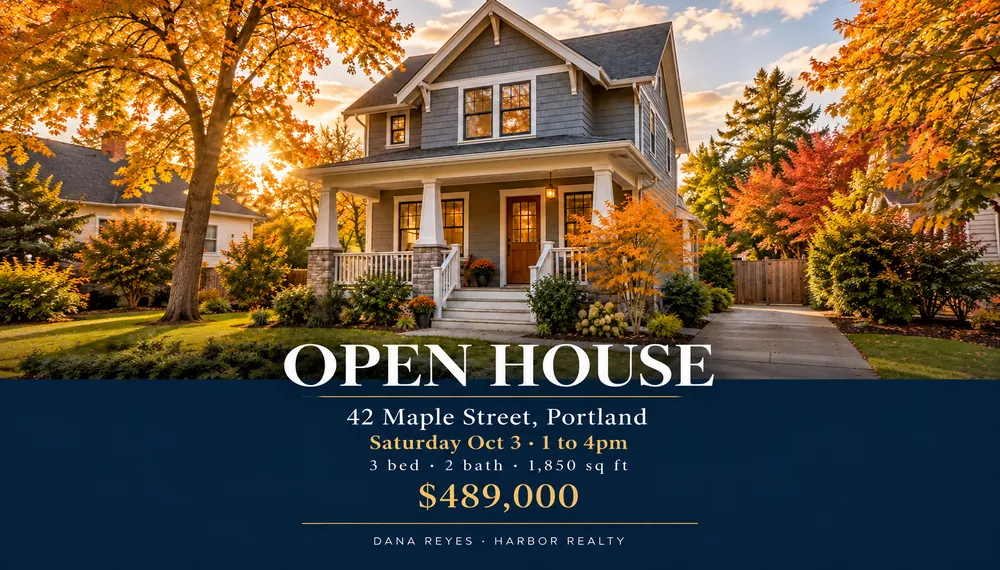
Graphics. Just graphics.
Social posts, ads, thumbnails, and banners. No decks, docs, or websites crowding the menu.
Templates as a head start
Pick a template and tell Snappa your details: the name, the date, the price. Starting from a template is free.
Go back to any version
Every edit is saved as its own version. Jump back to any point and keep going from there.
Reference images
Your people. Your products. In every post.
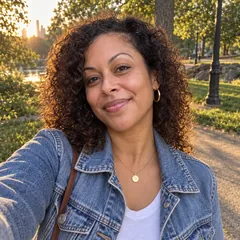
Upload photos of yourself, your team, or your products once. Then put them in any scene, style, or template.
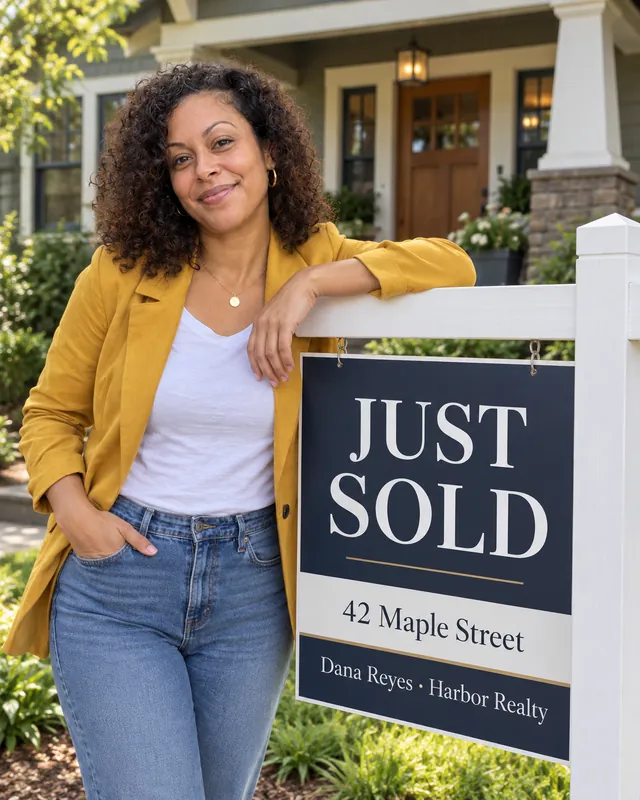
You in every post. No photoshoot.
A few everyday photos are enough. Put yourself in your weekly schedule, a new listing, or a new-episode card, looking like you.

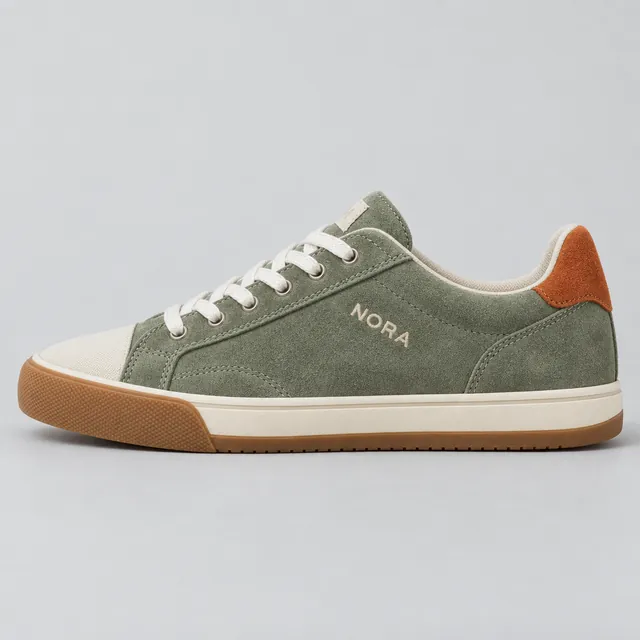
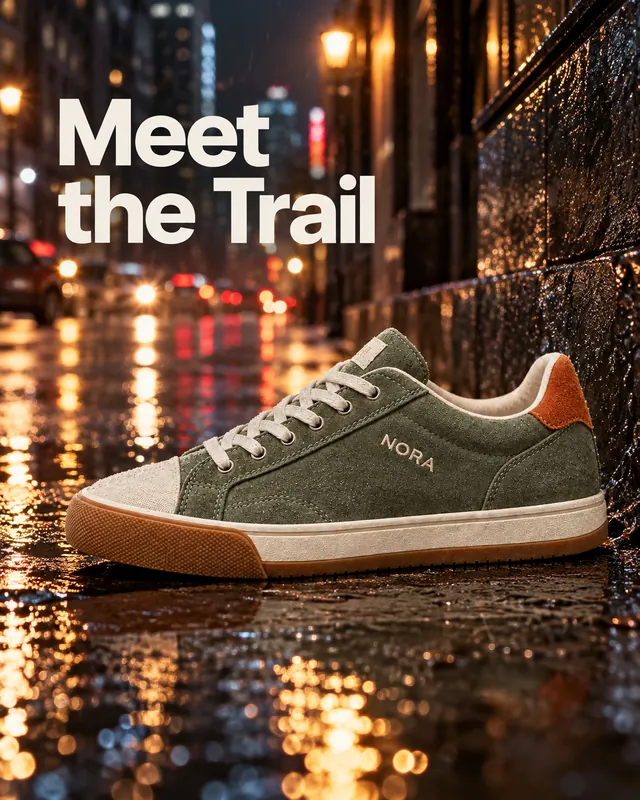
One product photo. Every post you need.
Upload a photo of your real product and put it on a city street, in a studio, or in a sale post. Logos, product shots, backgrounds: if you can photograph it, you can use it.
Pricing
Pricing you can predict.
One credit is one image. No allowance estimates, no locked features.
Canva Pro
US$18 a month, or US$144 a year
- For one person
- Up to 200 premium AI uses a month, or 20 ultra uses
- Canva calls those limits estimates that can change
- Premium photos and elements are licensed one design at a time
Snappa Pro
$15 a month, or $120 a year
- 250 credits a month, or 3,000 a year up front
- One credit is one image: a new graphic, an edit, or a resize
- Top up anytime with credit packs that don’t expire while you’re on Pro
Or start on the free plan: 10 credits a month and every feature.
Our promises
- Failed generations are free. So is starting from a template.
- No feature is locked behind a higher plan. Plans differ only in credits.
- Cancel yourself, anytime. No “pause instead?” screens.
- A real person answers your support emails.
- Not working out? Ask within 30 days of a payment and we refund the credits you haven’t used.
- Your graphics are yours, for any commercial use.
Canva prices and AI limits as shown on canva.com to US visitors. Canva prices vary by country.
Side by side
Snappa vs Canva at a glance
Updated October 2026
| Feature | Canva | Snappa |
|---|---|---|
| Built for | Almost anything: presentations, docs, video, websites, print, and social | Graphics: social posts, ads, thumbnails, and banners |
| How you make a graphic | Start from a template or a blank page and edit it, with AI tools built in | Describe it, or pick a template and say what to change |
| Change one part of an image | Magic Edit and other AI tools | Say what to change, or brush over it |
| Put yourself in a graphic | Upload a photo and place it | Add a few photos once, then appear in any graphic |
| Make another size | Resize, then fix the layout | One click. Snappa recomposes it for the new shape |
| Free plan | Yes, with many elements locked to Pro | Yes, with every feature and 10 credits a month |
| AI limits | A monthly allowance Canva describes as estimates | One credit is one image. Failed runs are free |
| Paid plan | US$18/mo or US$144/yr | $15/mo or $120/yr |
| Support | Help center and chat | Real people, by email |
| Brand kit (logo, colors, fonts) | Yes | Not yet. Upload your logo as a reference |
| Video, presentations, websites, print | Yes | No, by design |
| Real-time team editing | Yes | No |
Fair is fair
Which one is right for you?
Stick with Canva if
- You make videos, presentations, websites, or printed products
- Your team designs together in real time
- You want to place every element by hand
Switch to Snappa if
- You mostly make social posts, ads, thumbnails, and banners
- You want the finished graphic, not an afternoon in an editor
- You want yourself and your products in your graphics
“I find it much more intuitive than Canva! I tried Snappa and did my first graphic so quickly.”
“I signed up because it seems to have the things I love about Canva, but much easier to use.”
Snappa vs Canva FAQ
Is Snappa a free Canva alternative?
Is Snappa an AI tool?
How is Snappa different from Canva AI, Magic Media and Dream Lab?
How much does Canva Pro cost?
Why is Canva so slow?
Can I bring my logo and photos from Canva?
Can I use my graphics commercially?
Do I need design skills?
Ready to make the switch?
Your next graphic is one prompt away.
- Free plan
- Cancel anytime
- Real human support